
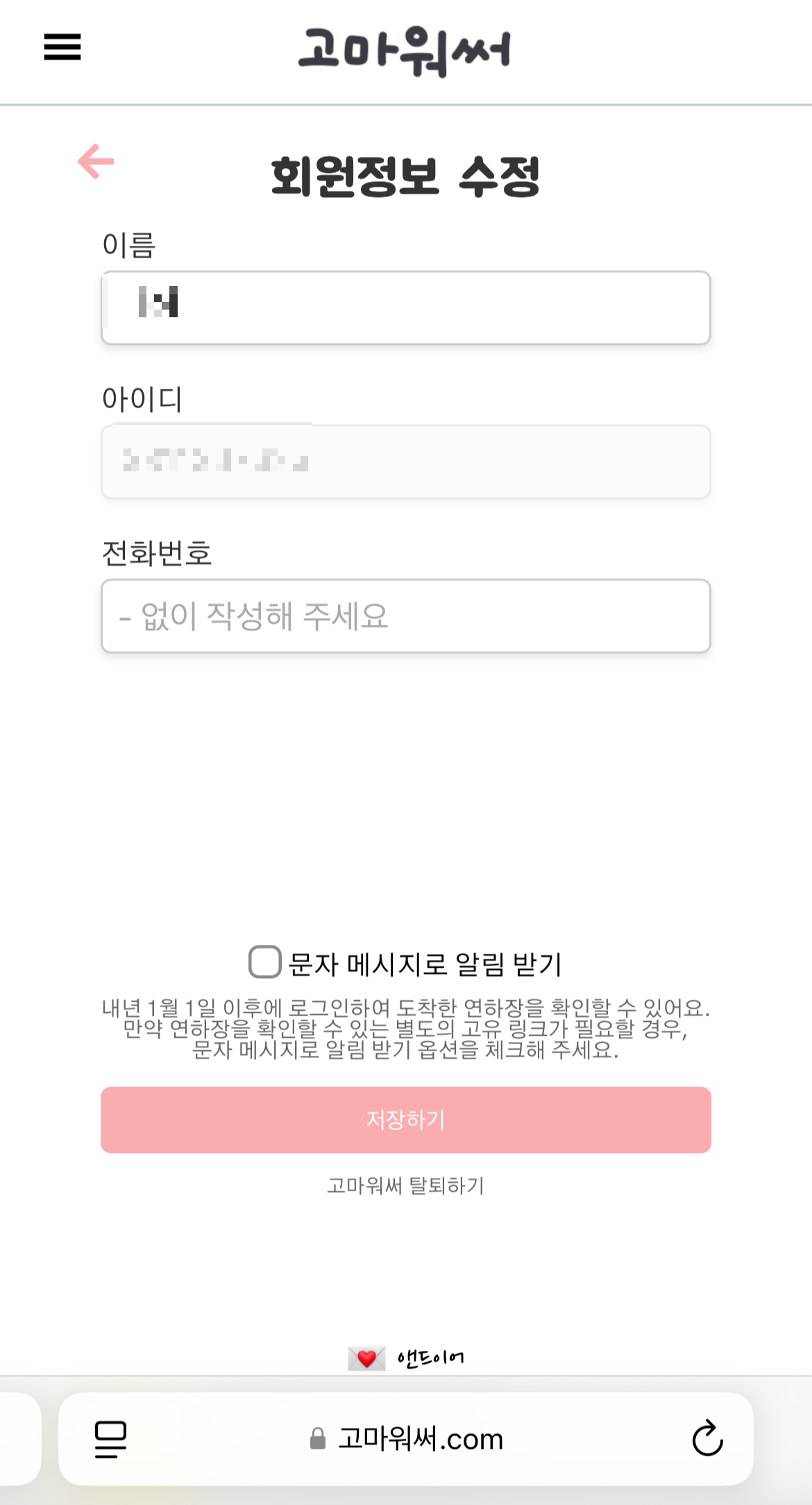

새로 회원가입한 유저일 경우 전화번호를 등록해야 하기에 자동으로 회원정보 수정 경로로 이동한다.
여기서 전화번호를 꼭 입력해야 하기 때문에 useForm을 사용한 required 를 넣어 주었다.
const onInvalid = (errors: any) => {
    if (errors.tel) {
      toast.error(errors.tel.message); // 전화번호 오류 메시지를 toast로 출력
    }
  };

// ...

// jsx
<>
	<input
		{...register("tel", {
			required: "전화번호를 입력해 주세요.",
			pattern: {
				value: /^(010|011)\d{8}$/,
				message: "전화번호를 확인해 주세요.",
            },
		})}
		placeholder="- 없이 작성해 주세요"
	/>
</>
required의 오류 메시지는 toast 알림으로 출력되게 했다.
toast 알림 보러 가기 https://dazz6study.tistory.com/97
React 06 - react-toastify 사용해 보기
토스트 알림(간단한 팝업 알림)을 react-toastify 라이브러리를 사용하여 구현해 보았다.import { ToastContainer } from "react-toastify";import "react-toastify/dist/ReactToastify.css";function App() { return ( );}최상위 루트 (Ap
dazz6study.tistory.com
회원 탈퇴는 user_id (pk, 고유번호)를 제외하고 다 날리는 방식을 사용했다.
// 회원 탈퇴
@Transactional
public boolean deleteUser(Integer id, String accessToken, String clientId) {
	kakaoAuthService.unlinkUser(accessToken); // 카카오 연결 끊기

	return userRepository.findById(id)
			.map(user -> {
				user.setKakaoId("");
				user.setName("");
				user.setTel(null);
				user.setIsSmsAllowed(false);
				userRepository.save(user);
				return true;
                })
			.orElse(false);
}
'Dazz6 > ABOUT' 카테고리의 다른 글
| 고마워써 프로젝트 - #2-5. 연하장 디자인하기 (0) | 2025.01.10 |
|---|---|
| 고마워써 프로젝트 - #2-4. 메뉴 (0) | 2025.01.09 |
| 고마워써 프로젝트 - #2-2. 홈 화면 (0) | 2025.01.07 |
| 고마워써 프로젝트 - #2-1. ERD (0) | 2025.01.06 |
| 고마워써 프로젝트 - #1. 소개 (0) | 2024.12.31 |