
관리자 페이지에서는 모각존, 모각챌, 뱃지, 고민 상담 게시판을 관리할 수 있다.
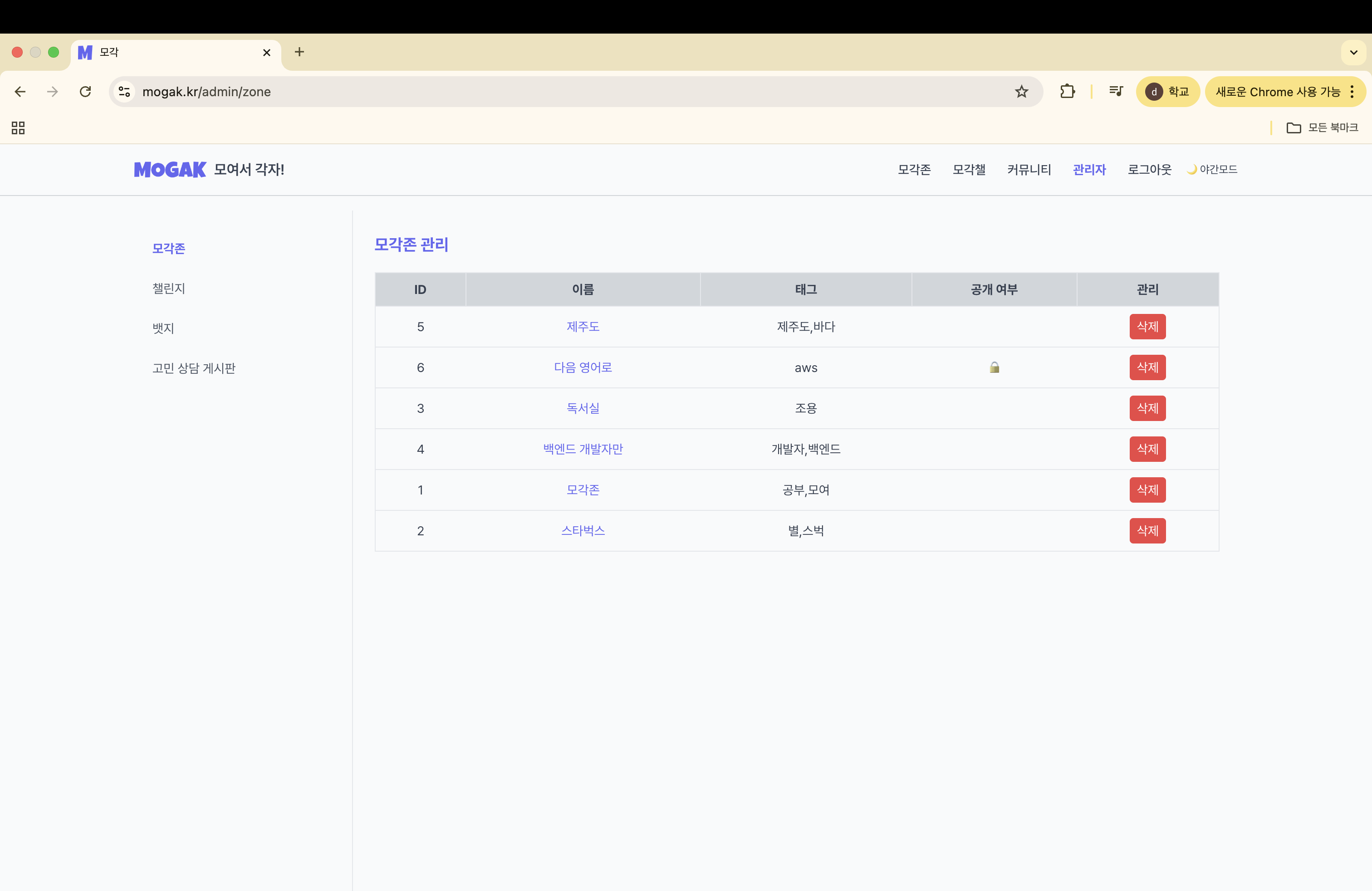

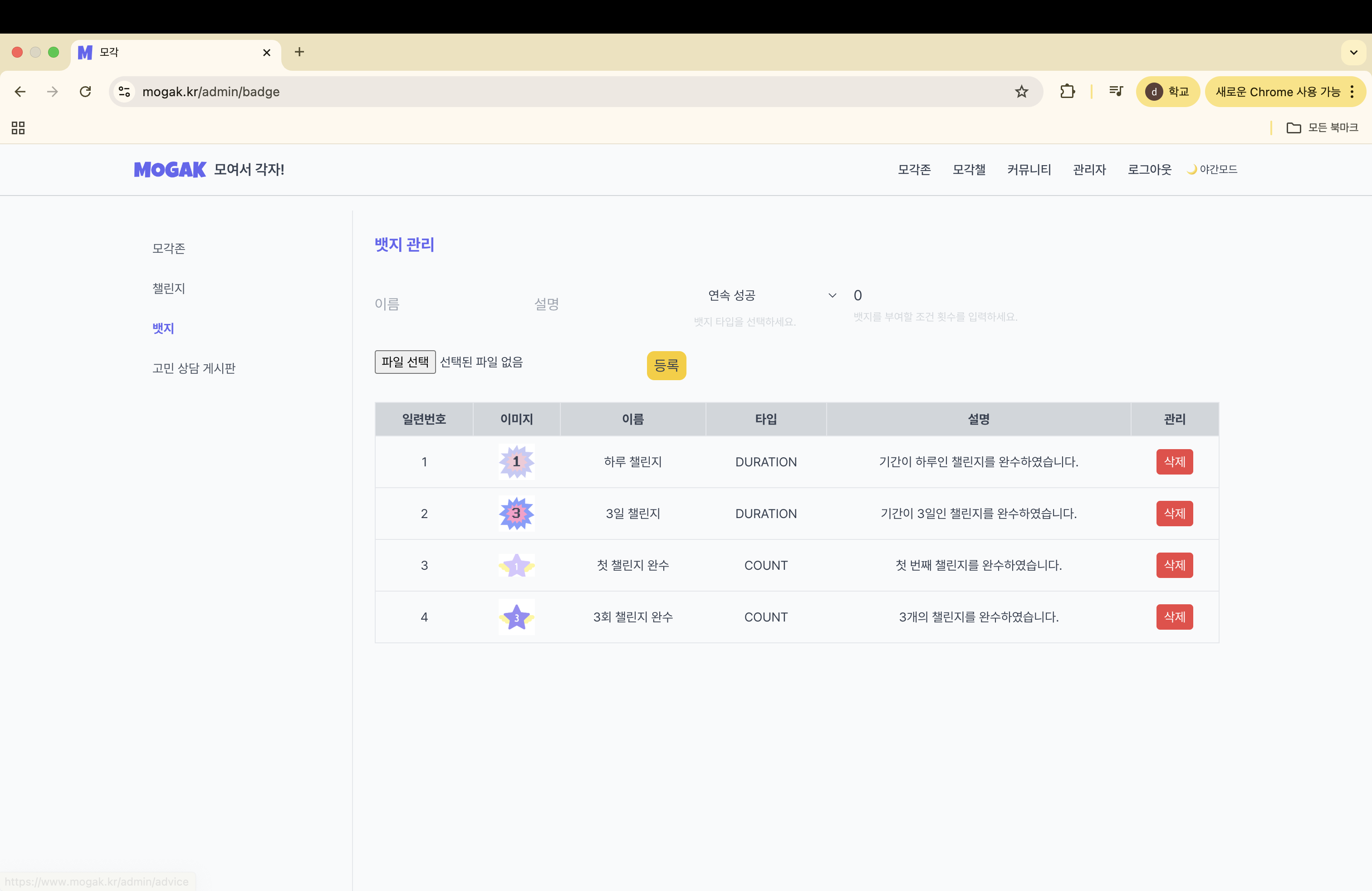
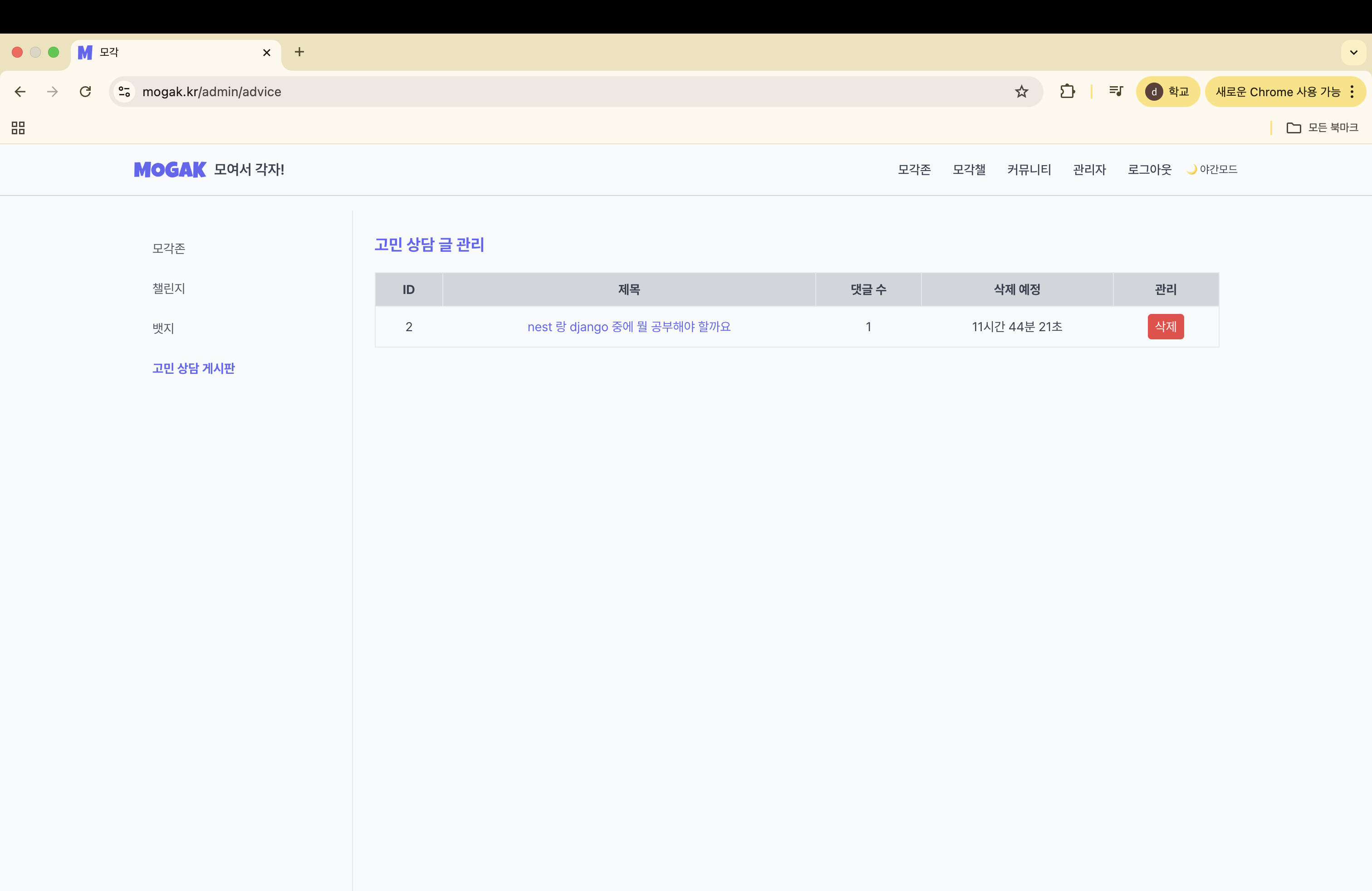
관리자 페이지는 크게 복잡한 것 없이 반환된 리스트 출력, 그리고 일부 추가 기능만 구현했다.
챌린지의 경우 '공식 챌린지' 기능을 위해 관리자가 챌린지를 생성할 수 있다.
그리고 뱃지 관리에서는 뱃지를 추가할 수 있는데, 여기서 뱃지의 조건을 설정하면 유저가 조건을 충족할 경우 자동으로 부여된다.
예를 들어 성공 횟수 3으로 생성할 경우, 유저가 챌린지를 세 번 정상적으로 완수할 경우 해당 유저에게 해당 뱃지가 부여되는 식이다.
관리자 페이지는 이벤트가 많고 유저 페이지처럼 성능이 크게 중요하지 않을 것이라고 판단되어 전부 client component 로 작성했다.
그리고 모든 페이지에 표가 필요하므로, 공통 component 로 분리하여 import 하여 사용했다.
import { AdminTableProps } from "@/types/admin.type";
import Link from "next/link";

export default function AdminTable<T extends object>({
  columns,
  data,
}: AdminTableProps<T>) {
  return (
    <table className="w-full border text-sm">
      <thead>
        <tr className="bg-borders text-text dark:bg-border-dark dark:text-text-dark">
          {columns.map((col) => (
            <th key={String(col.key)} className="px-4 py-2 border">
              {col.label}
            </th>
          ))}
        </tr>
      </thead>
      <tbody>
        {data.map((row, i) => (
          <tr key={i} className="border-t">
            {columns.map((col) => {
              const isCustomKey =
                typeof col.key === "string" && !(col.key in row);
              const cellValue = isCustomKey
                ? undefined
                : row[col.key as keyof T];

              return (
                <td key={String(col.key)} className="px-4 py-2 text-center">
                  {col.render ? (
                    col.render(cellValue, row)
                  ) : col.linkTo && !isCustomKey ? (
                    <Link
                      href={col.linkTo(row)}
                      className="text-primary dark:text-primary-dark hover:underline"
                    >
                      {String(cellValue)}
                    </Link>
                  ) : (
                    String(cellValue ?? "")
                  )}
                </td>
              );
            })}
          </tr>
        ))}
      </tbody>
    </table>
  );
}
그리고 사용할 때는 아래처럼 사용하였다. (모각존 관리 페이지)
"use client";

import { useEffect, useState } from "react";
import AdminTable from "@/app/components/admin/admin-table";
import ConfirmModal from "@/app/components/confirm-modal";
import { ZoneSearch } from "@/lib/shared/zone.api";
import { ZoneDelete } from "@/lib/client/zone.client.api";
import Loading from "@/app/loading";
import { ZoneMainProps } from "@/types/zone.type";
import { Column } from "@/types/admin.type";
import Pagination from "@/app/components/shared/paginaiton";

export default function AdminZonePage() {
  const [zones, setZones] = useState<ZoneMainProps[]>([]);
  const [loading, setLoading] = useState(true);

  const [page, setPage] = useState(0);
  const [totalPages, setTotalPages] = useState(1);

  const [showModal, setShowModal] = useState(false);
  const [targetId, setTargetId] = useState<number | null>(null);
  const [targetName, setTargetName] = useState<string | null>(null);

  const fetchZones = async (pageNumber = 0) => {
    setLoading(true);
    try {
      const res = await ZoneSearch({
        sort: "recent",
        page: pageNumber,
        size: 10,
      });

      setZones(res.data);
      setPage(pageNumber);
      setTotalPages(res.totalPages);
    } catch (e) {
      console.error("에러:", e);
    } finally {
      setLoading(false);
    }
  };

  useEffect(() => {
    fetchZones();
  }, []);

  const openModal = (id: number, name: string) => {
    setTargetId(id);
    setTargetName(name);
    setShowModal(true);
  };

  const confirmDelete = async () => {
    if (targetId !== null) {
      await ZoneDelete(targetId);
      await fetchZones(page);
    }
    setShowModal(false);
    setTargetId(null);
    setTargetName(null);
  };

  const columns: Column<ZoneMainProps>[] = [
    { key: "mogakZoneId", label: "ID" },
    {
      key: "title",
      label: "이름",
      linkTo: (row: ZoneMainProps) => `/zone/${row.mogakZoneId}`,
    },
    { key: "tag", label: "태그" },
    {
      key: "hasPwd",
      label: "공개 여부",
      render: (value) => (value ? "🔒" : ""),
    },
    {
      key: "actions",
      label: "관리",
      render: (_, row: ZoneMainProps) => (
        <button
          className="text-sm px-2 py-1 bg-error dark:bg-error-dark text-white rounded"
          onClick={() => openModal(row.mogakZoneId, row.title)}
        >
          삭제
        </button>
      ),
    },
  ];

  if (loading) {
    return <Loading />;
  }

  return (
    <div className="flex flex-col gap-4">
      <h1 className="text-lg font-bold text-primary dark:text-primary-dark">
        모각존 관리
      </h1>
      <AdminTable columns={columns} data={zones} />

      {totalPages > 1 && (
        <Pagination
          page={page}
          totalPages={totalPages}
          onPageChange={fetchZones}
        />
      )}

      {showModal && (
        <ConfirmModal
          message={`정말 '${targetName}' 존을 삭제하시겠습니까?`}
          onConfirm={confirmDelete}
          onCancel={() => setShowModal(false)}
        />
      )}
    </div>
  );
}'Dazz6 > ABOUT' 카테고리의 다른 글
| 모각 프로젝트 - #3. 배포 및 회고 (0) | 2025.08.07 |
|---|---|
| 모각 프로젝트 - #2-5. 로그인/로그아웃 (0) | 2025.08.05 |
| 모각 프로젝트 - #2-4. 비밀 고민 상담 (0) | 2025.08.04 |
| 모각 프로젝트 - #2-3. 모각챌 (0) | 2025.08.03 |
| 모각 프로젝트 - #2-2. 모각존 (0) | 2025.08.02 |